How to Register on the Cambodia E-arrival Application
Since July 1, 2024, Cambodian authorities have implemented a new procedure for arrivals in Cambodia. This aims to facilitate and streamline entry into the country for travelers.
Since July 1, 2024, Cambodian authorities have implemented a new procedure for arrivals in Cambodia. This aims to facilitate and streamline entry into the country for travelers. This new electronic procedure is free but mandatory, replacing the paper documents previously distributed on planes by flight attendants.
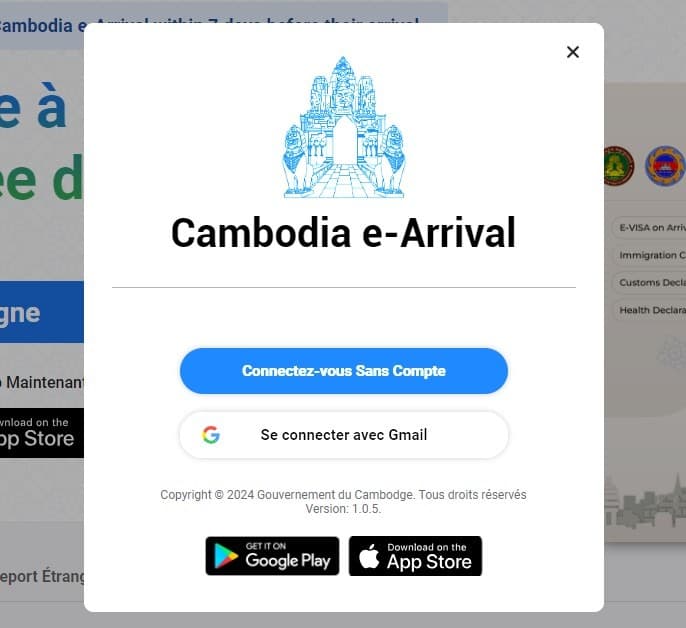
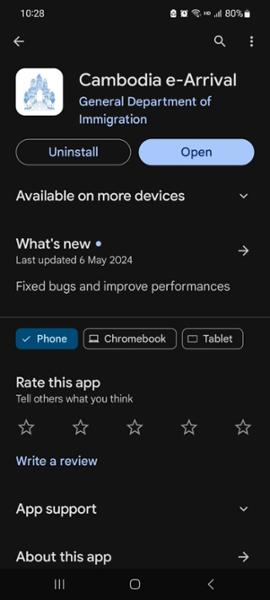
The applications for Apple or Google smartphones can be downloaded from the official website https://arrival.gov.kh/ or found directly on the Apple Store or Google Play.
1. Create an Account and Download the Application
To use the application, you must first create an account. You have the option to register via your Apple or Google address.
The applications for Apple or Google smartphones can be downloaded from the official website https://arrival.gov.kh/ or found directly on the Apple Store or Google Play Store.
2. Fill in the Information in the Foreign Visitor Section
Once you have downloaded the application and created your account, you can begin the registration process.
You can change the language by clicking on the small flag in the top right corner to follow the steps in English, making it easier and reducing the risk of errors. Next, follow the steps below:
|
|
|
|
|
|
|
|
|
|
|
|
|
|
|
|
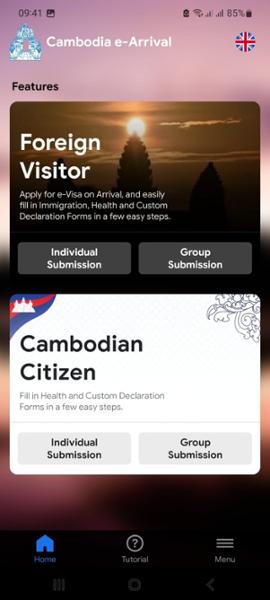
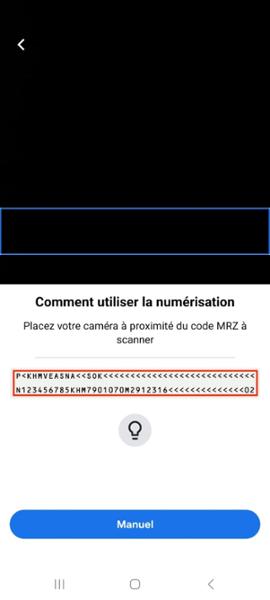
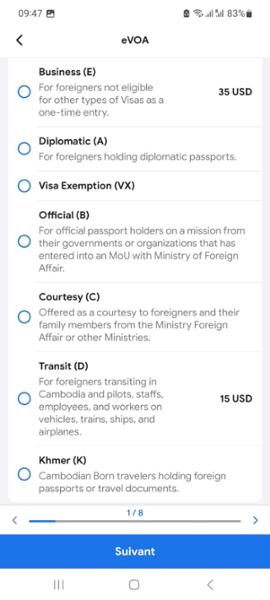
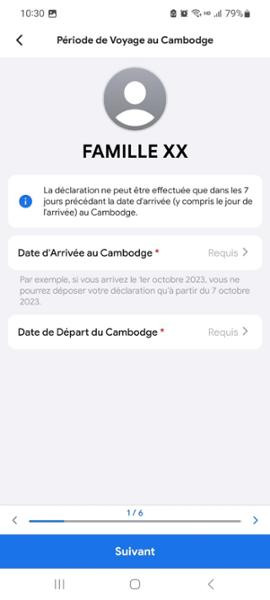
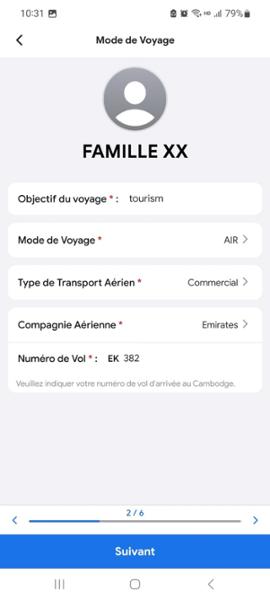
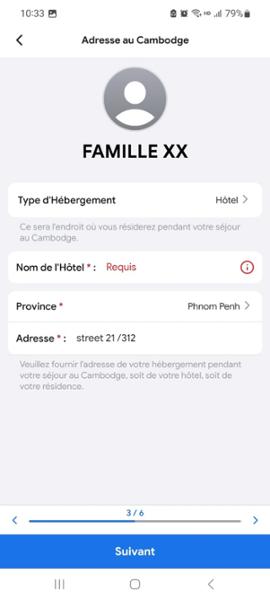
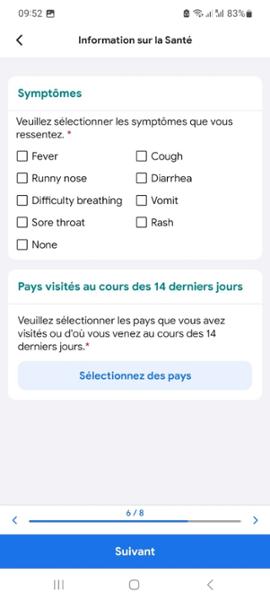
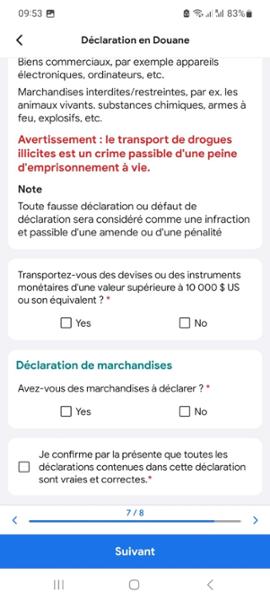
The second option, group visitor, allows you to consolidate the information requested in sections 5 to 8. However, it is mandatory to create a profile for each participant and complete sections 1 to 4 and 9 to 10. One of the registered individuals must be designated as the group leader.
3. Retrieve Your QR Code
After providing your information, you will receive an email with a QR code that you must present to the immigration officer. The QR code is also available in the application. You must finalize the online process at least 7 days before your arrival in Cambodia. Digital tablets will be available at various airports throughout the kingdom for those without a smartphone or internet connection.